
What is Open Learning XML?
OLX (Open Learning XML) is what Studio saves to disk when you author a course. Every section, subsection, unit, and component lives in an XML file. You almost never need to edit OLX directly — Studio is the friendlier interface — but knowing it exists explains a lot.
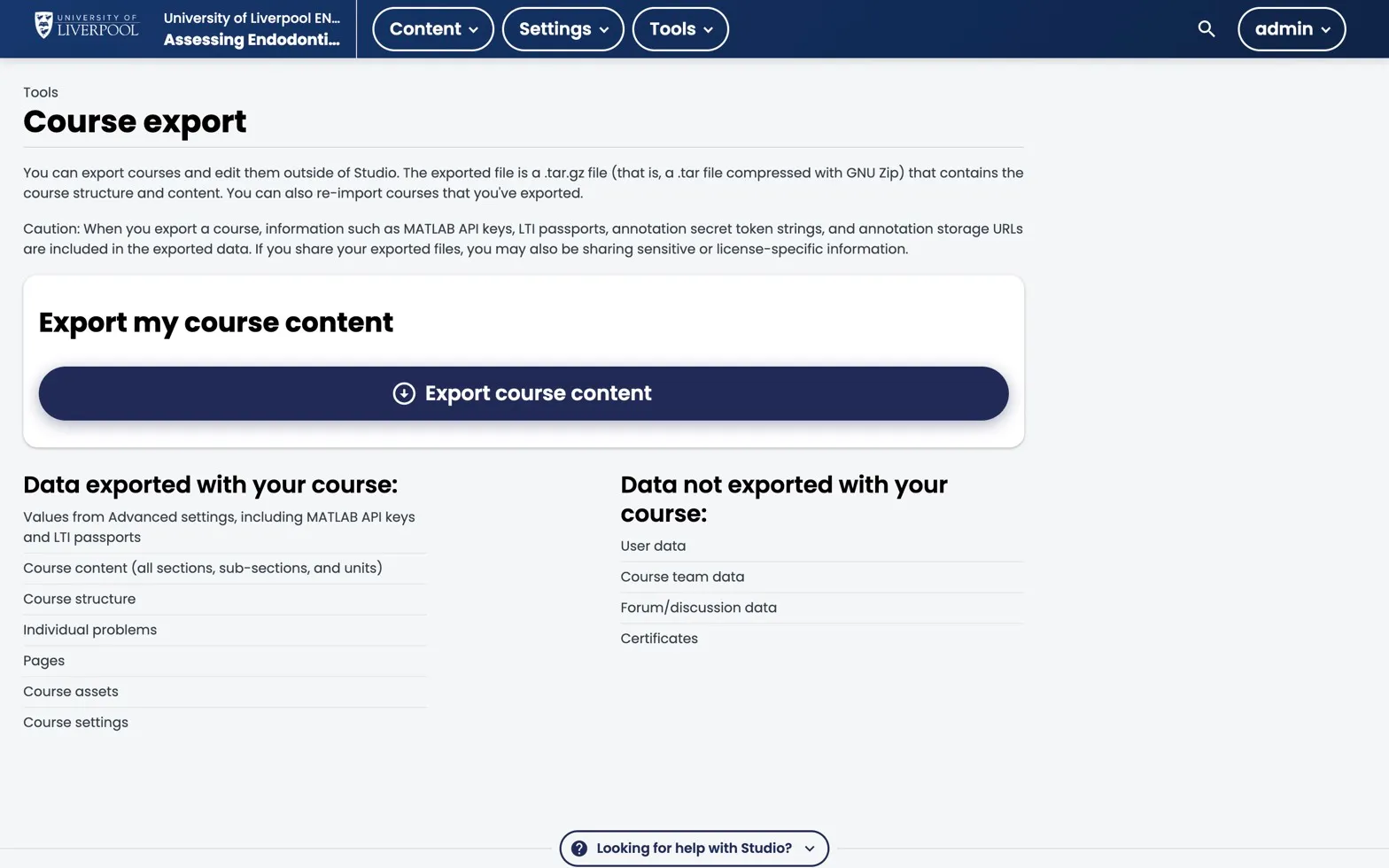
Studio → Tools → Course export. Click Export course content to download a .tar.gz of the course’s OLX. User-specific data (grades, forum posts, certificates) stays in the LMS.
When you’ll touch OLX
- Course export / import — Studio exports a tarball of OLX files. Useful for backups, version control, or moving content between environments.
- Bulk content edits — if you need to update 50 problems with the same correction, editing OLX in a text editor + re-import is faster than 50 Studio clicks.
- XML-only problem features — a handful of question features (partial credit, custom response, advanced numerical constraints) are only accessible via the XML view in the problem editor.
What you won’t do with OLX
- Build a course from scratch in a text editor. Use Studio.
- Edit OLX files directly on the server. Always export → edit → import.
Where OLX lives in Studio
- Tools → Export writes the entire course OLX as a
.tar.gz. - Tools → Import reads it back in (overwriting Studio state — back up first).
- Inside the problem editor, Edit → Settings → Advanced (XML) shows the raw XML for that component.
Should you version-control OLX?
For a CPD module: probably not — Studio is your source of truth.
For a multi-author postgraduate programme with frequent edits: yes, exported OLX in git gives you change tracking and rollback. Email support@learning.endo360.co.uk if you want this set up.
Liverpool Dental Learning Hub — author guide.
Built by BrainJam
for the University of Liverpool School of Dentistry.