
Create a new course
This is the literal first step: an empty course shell with title, number, run, and dates. Five minutes of work, but the values you pick here are hard to change later — so read this page first.
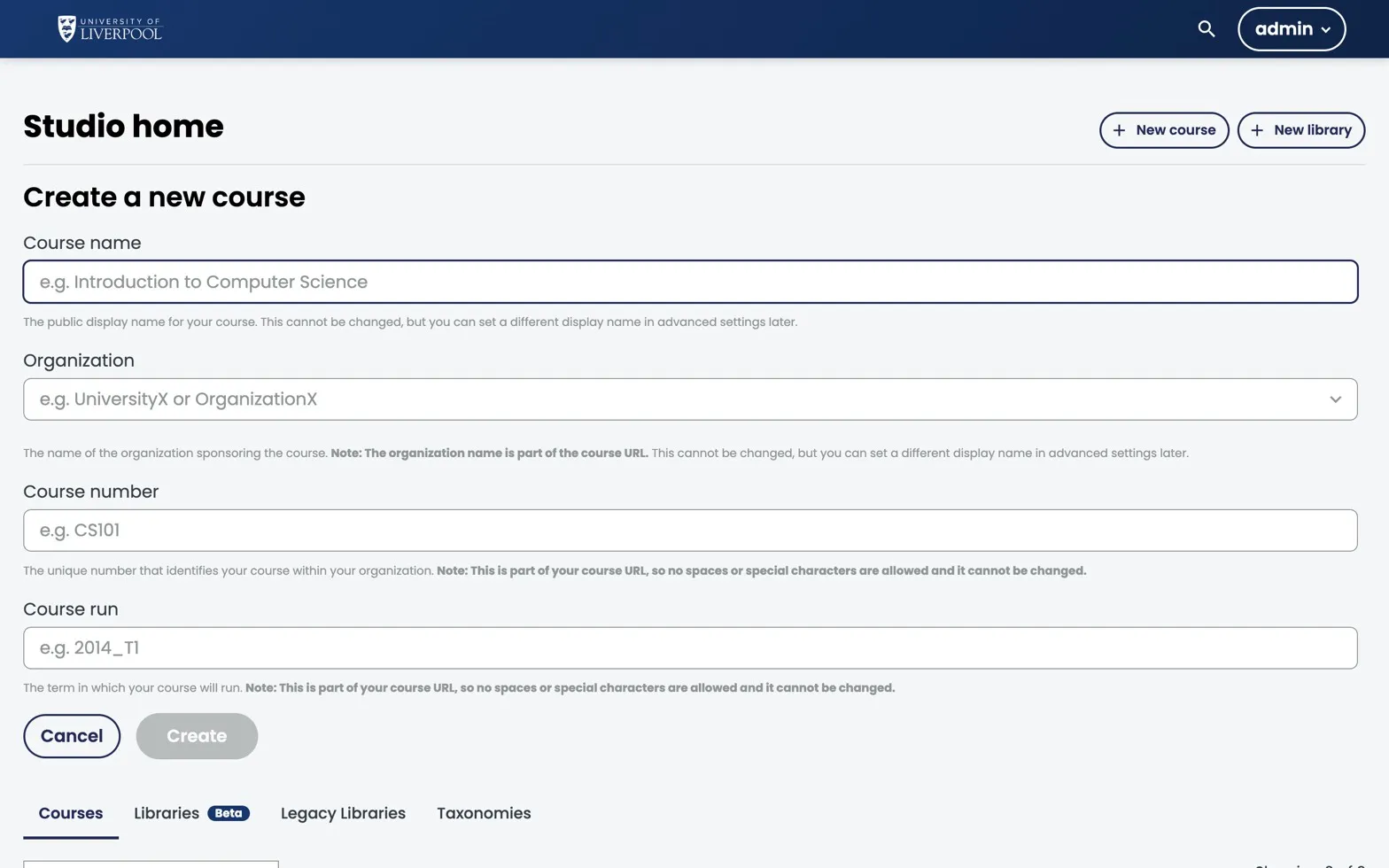
Studio’s Create a new course form. The four fields below are the only required values, and none of them can be changed after you click Create.
Before you start
You need an author account on studio.learning.endo360.uk. If you don’t have one, email support@learning.endo360.co.uk.
Steps
-
Sign in to
studio.learning.endo360.uk. -
From the Studio home page, click New Course.
-
Fill in the four required fields:
Field What to enter Example Course name Public-facing title Assessing Endodontic Complexity Organization Always University_of_LiverpoolUniversity_of_LiverpoolCourse number Department code + topic ENDO101Course run Year, or year + term 2026or2026_T1 -
Click Create. You land on the empty Outline.
Naming conventions
- Course Number — uppercase, no spaces. Pattern:
<dept><level>e.g.ENDO101,PERIO202,RESTO301. - Course Run —
YYYYfor evergreen,YYYY_S<n>if you’ll have multiple cohorts per year. - Course Name — title case, descriptive enough to read in a list of 50 courses.
The course’s permanent URL slug is built from these three values:
course-v1:University_of_Liverpool+ENDO101+2026. You can’t rename them after creation, so get them right now.
What to do next
- Set the schedule (Settings → Schedule & Details).
- Add a course image and course overview text — these appear on the course-about page.
- Add CPD hours and GDC outcomes to the overview text.
- Start building the outline.