
The problem component
Problem is the umbrella for any question type. They share the same framework: a prompt, one or more inputs, automatic grading, attempt limits, and feedback.
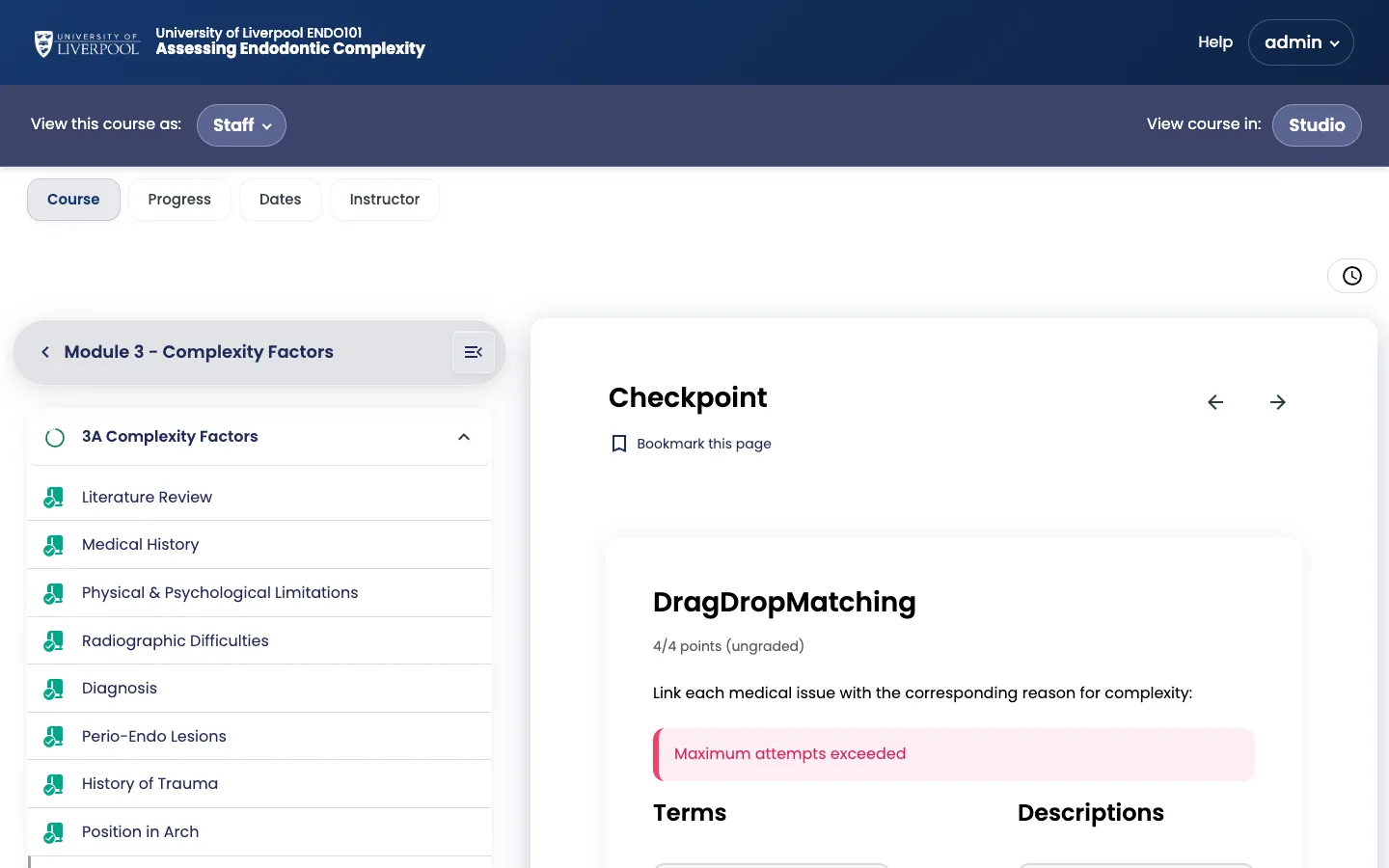
The drag-drop-matching-xblock (one of the 11 custom Liverpool Dental XBlocks) as the learner sees it in an ENDO101 checkpoint.
Shared settings on every problem
| Setting | What it controls |
|---|---|
| Display name | Shown to learners above the question |
| Maximum attempts | Blank = unlimited (default for CPD) |
| Weight | Score weighting within the subsection |
| Randomization | Whether to re-shuffle options between attempts |
| Show answer | ”Always” / “Past due” / “Never” — default to After last attempt for CPD |
Built-in question types
- Single select (multiple choice)
- Multi-select (checkboxes)
- Dropdown
- Text input
- Open response assessment
Liverpool Dental custom XBlocks
The deployment ships 11 custom interactive XBlocks. Add them via Add Component → Advanced:
| XBlock | Use for |
|---|---|
accordion | Collapsible sections of reference content |
tabs | Side-by-side comparisons (e.g. clinical vs radiographic findings) |
flashcards | Spaced-repetition style revision |
image-commentary-xblock | Annotated stills with author commentary |
image-hotspot-xblock | Click-to-identify on an anatomical image |
image-annotation-xblock | Free-form learner annotation on an image |
drag-drop-matching-xblock | Pair items (e.g. instrument → use) |
sort-into-bins-xblock | Categorise items (e.g. carious vs sound surfaces) |
content-blocks | Layout primitives — cards, columns |
audio-player-xblock | Custom audio player with timing controls |
timeline-presentation-xblock | Sequential case-progression display |
These are pinned via XBLOCKS_SHA in liverpool-dental-deploy/versions.lock. When the deploy team bumps the SHA, all 11 update together.
Writing problems — the Markdown shortcut
The problem editor supports a Markdown-like syntax that’s faster than the visual editor once you know it. The top of every problem template shows an example — start there.
Liverpool Dental Learning Hub — author guide.
Built by BrainJam
for the University of Liverpool School of Dentistry.