
Course discussions
The Learning Hub has a built-in threaded discussion system. For self-paced CPD courses, async discussion is usually low-volume — so the question isn’t whether to enable it but what role you want it to play.
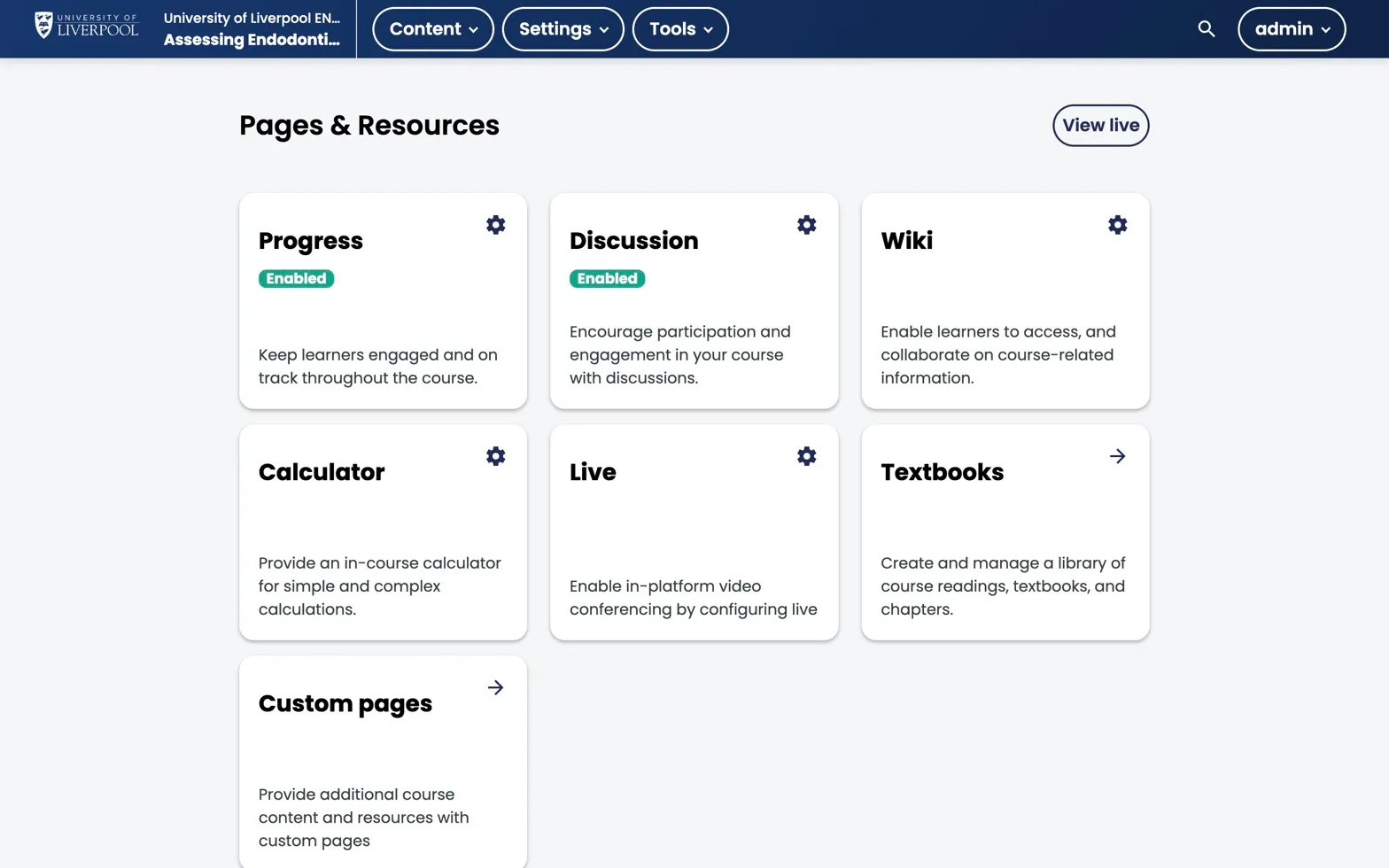
Studio → Content → Pages & Resources. Discussion is enabled here; the gear icon opens topic configuration. Wiki, Calculator, Live, Textbooks, and Custom pages live on the same screen.
Two patterns that work
A. Course-wide Q&A (recommended default)
A single “Questions for the team” topic, lightly moderated. Learners post questions, an instructor checks in weekly. Low maintenance, useful safety net.
B. Topic-anchored discussions
Discussion components dropped into specific units (e.g. after a case study). Higher engagement, but only if you have someone moderating — silent discussion threads are worse than no discussion.
Enabling discussions
Discussions are on by default. The pieces you may want to configure:
- Discussion topics — defined in Settings → Advanced Settings → Discussion Topic Mapping.
- Inline discussion components — added to a unit via Add Component → Discussion.
- Cohort visibility — if you use cohorts, you can scope discussions per cohort.
Moderation roles
In the LMS Instructor dashboard:
- Discussion Admin — full moderation, post in any role.
- Discussion Moderator — moderate posts and replies.
- Discussion Community TA — flag-and-respond, no delete.
Assign at least one Moderator per active course.
Notifications
Learners get email digests by default. Course authors should subscribe to topics they own so you don’t miss a clinical correction.